
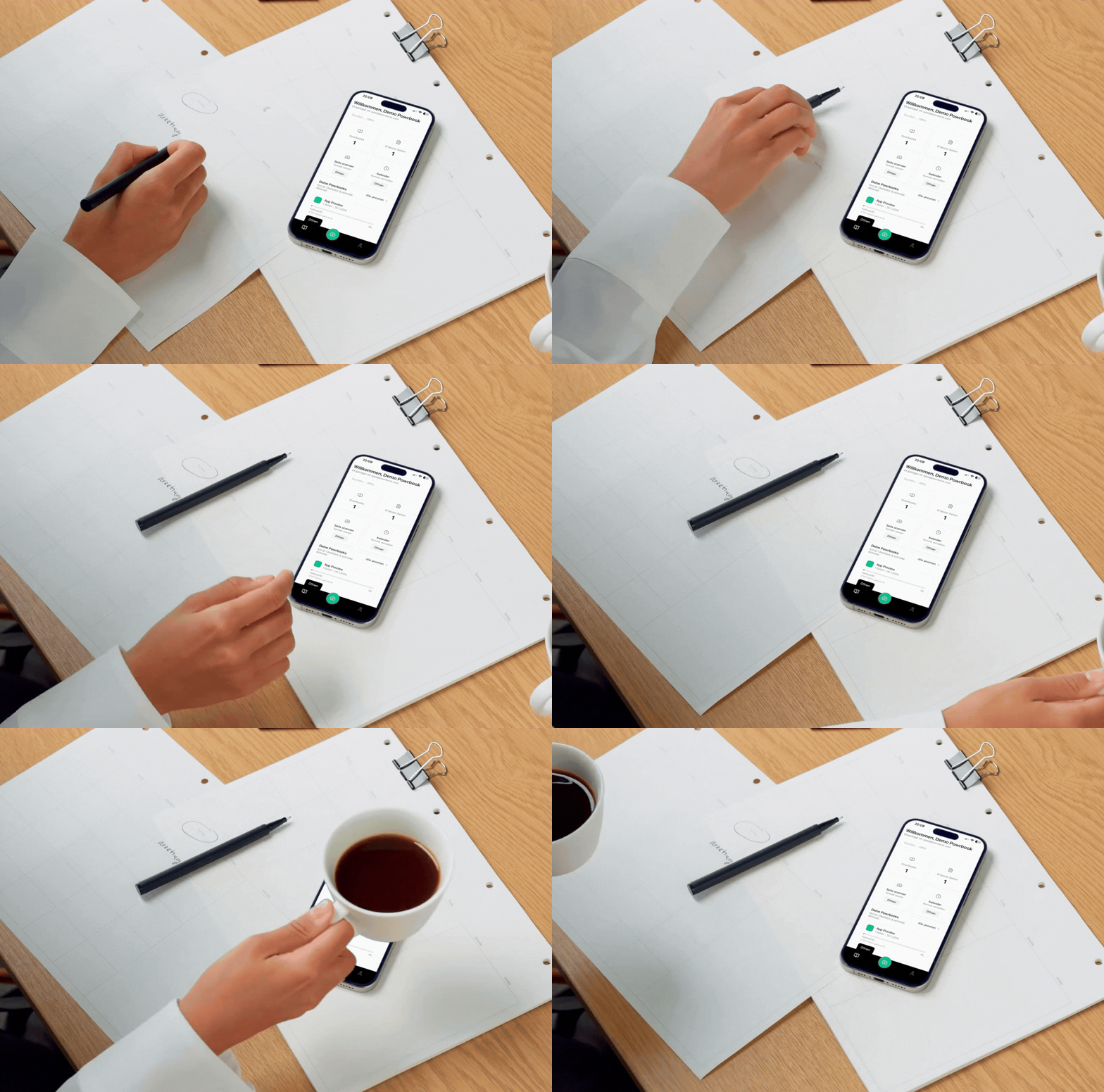
#1 to put handwriting into action
Write on paper—Powrbook does the rest: scan, organize, search. AI recognizes tasks, transfers appointments to your calendar, and syncs with iOS, Android, and the web.
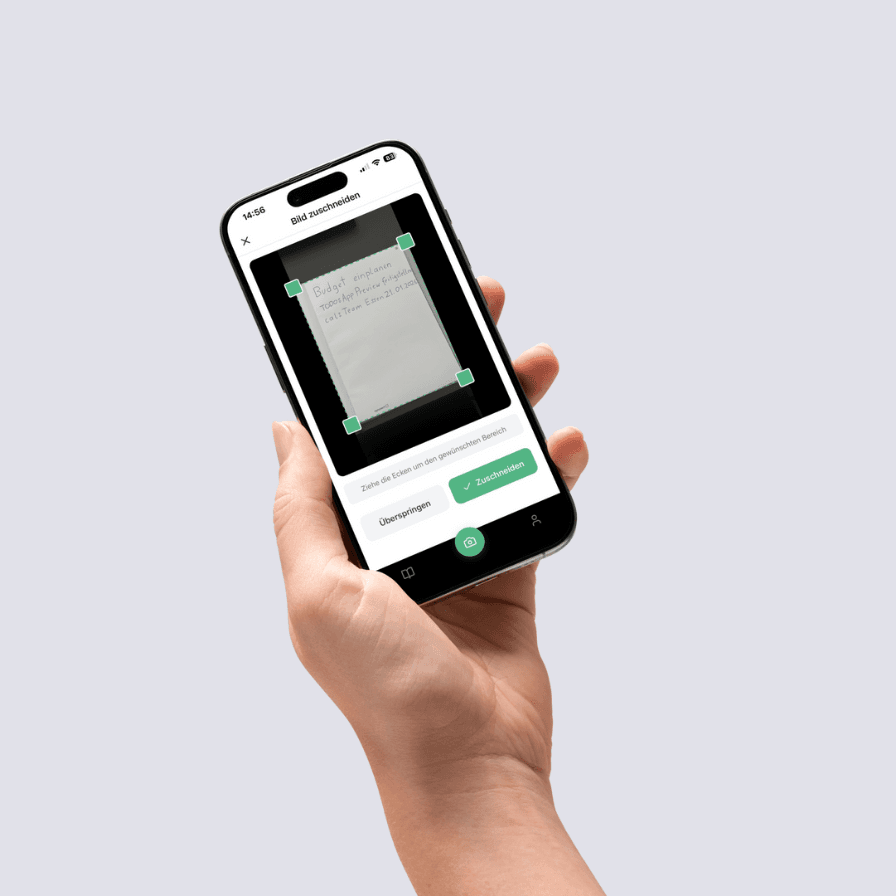
Scan
Paper-first. AI-powered execution. Powrbook understands your handwritten notes automatically and makes them digitally usable.
Automatic detection. Open the app, photograph your page – edges, alignment and text are instantly recognized.
OCR for handwriting. Even handwritten notes become readable and searchable – thanks to cutting-edge text recognition.
One photo is enough. No manual typing, no chaos – just scan and go.
Confirm
You stay in control. Always. Review and confirm what matters before it's digitized.
Review actions. Powrbook detects to-dos, events, contacts and sketches – you decide what gets saved.
Assign pages. Choose the right Powrbook and page for your note.
Nothing gets lost. Every change stays traceable and can be adjusted at any time.

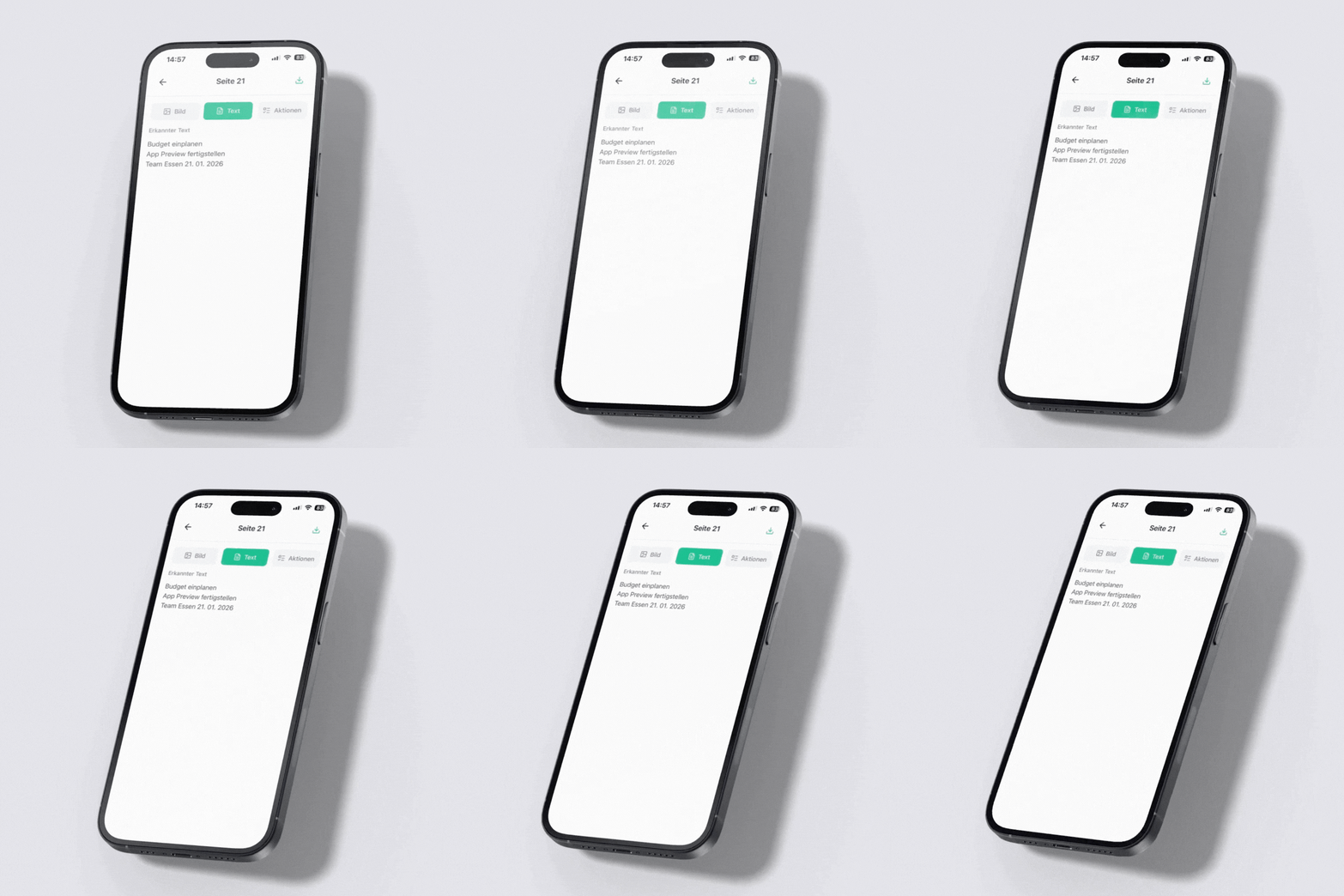
Digital
From paper to app. Instantly. Your ideas become structured, searchable and actionable – all automatically.
Available everywhere. Access your notes from iOS, Android and browser – always in sync.
Intelligently organized. Tags, folders and full-text search make every note findable in seconds.
Ideas become reality. Transform handwritten notes into clear, actionable tasks and events.
Sketches – from paper straight into the editor
Our AI automatically detects sketches in your scans. Every hand-drawn element is transferred 1:1 into our online sketch editor – ready to edit, share and collaborate on.
Scan
Photograph your handwritten sketch with the Powrbook app. The AI automatically detects whether a drawing is present.
Capture
Confirm the detected sketch – it is digitized exactly and faithfully, then imported into the editor.
Edit
In the online sketch editor you can move, scale and adjust every element individually – like a digital whiteboard.
1:1 Digitization
Your hand drawing is transferred pixel-perfect into the editor – nothing gets lost.
Move Elements
Every drawn element can be individually selected, moved and transformed.
Real-time Collaboration
Work live with your team on the same sketch – changes are visible instantly.
Export & Share
Download your sketch as PNG, SVG or PDF, or share it directly via link.
Chat & Comments
Discuss ideas right inside the sketch – with an integrated chat box and comments.
Split View
Compare the original scan and the digital sketch side by side – switchable anytime.
Clarity at a glance.
Powrbook automatically detects tasks, events, sketches and pages – showing everything organized and synced in one central workspace.
Organization & Focus
Tasks & Lists
Powrbook detects to-dos and sketches from your notes, assigns them to projects or lists, and syncs seamlessly with services like Google Tasks.

Time & Structure
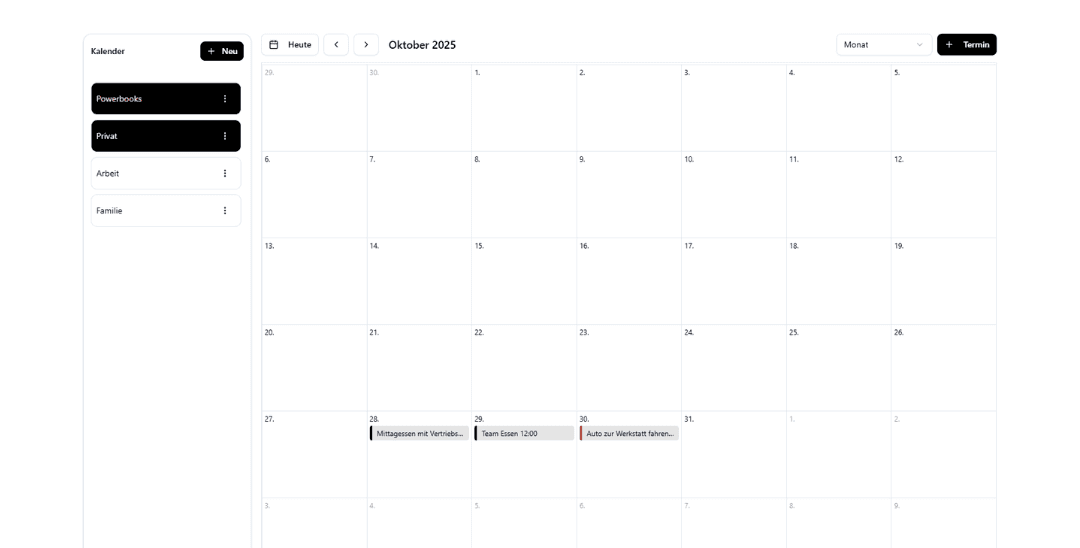
Calendar & Events
Detected events are suggested automatically and synced with your Google or Powrbook calendar.
Digitization & Clarity
Scans & Assignments
Automatic page detection, straightening and OCR ensure perfect digital copies – ideal for archiving, search and AI features.

Tasks & Lists
Powrbook detects to-dos and sketches from your notes, assigns them to projects or lists, and syncs seamlessly with services like Google Tasks.
Calendar & Events
Detected events are suggested automatically and synced with your Google or Powrbook calendar.
Scans & Assignments
Automatic page detection, straightening and OCR ensure perfect digital copies – ideal for archiving, search and AI features.
Everything in one place.
Keep track of your Powrbooks, pages and tasks – Powrbook connects paper, structure and digital work in one clear system.
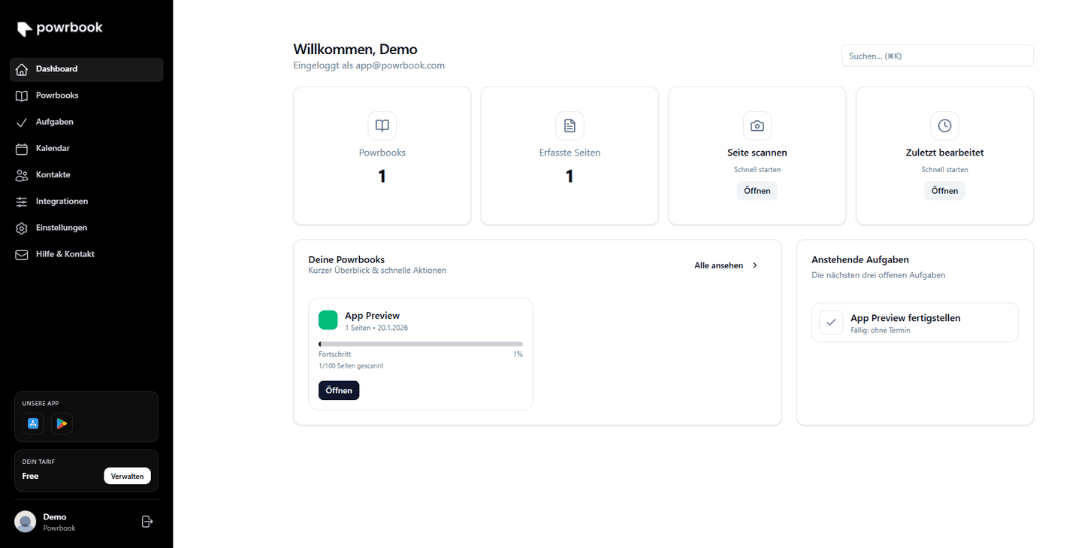
- Scan and go.
- Capture pages, let them be recognized automatically and continue working right in your dashboard.
- Data protection in the EU.
- Servers located in Europe and developed with GDPR compliance in mind – your notes stay with you.
- Encrypted.
- All data is transmitted and stored encrypted, keeping your private information safe.
- Automatic backups.
- Regular backups ensure nothing is ever lost.
- Always in sync.
- Web and mobile apps keep your content updated across all devices automatically.
- Plenty of integrations.
- Connect calendars, tasks and other tools in just a few clicks – everything in one place.
Our Integrations
Connect Powrbook with your favorite tools and keep your data automatically synchronized – secure, transparent, and revocable at any time.


Seamless synchronization
Two-way sync for tasks, calendars & contacts – no duplicates.
Privacy first
EU hosting, transparent permissions, revocable at any time.
More than APIs
Connect events & workflows – Powrbook adapts to your stack.
Powrbook for Business
From team meetings to client notes and project planning – Powrbook Business brings handwritten notes into digital workflows.
Learn more

Fair Pricing
The physical Powrbook is optional and available in our Shop.
Monthly, cancel anytime
Free
For getting started
- 3 Powrbooks, 20 Pages / Powrbook
- 120 Scans / Month (Basic OCR)
- 1 Device + Web
- EU Cloud Sync: 100 MB
- Export: PDF & PNG
- Basic search, tags & folders
Plus
Most popular choice
- Unlimited Powrbooks
- 100 Pages / Powrbook
- 1,500 Scans / Month with Smart Scan
- 3 Devices + Web
- EU Cloud Sync: 2 GB
- OCR DE/EN + Full-Text Search
- Versioning (30 days)
- Templates & Reminders
- Email-to-Powrbook
Pro
For power users
- Unlimited Powrbooks
- 200 Pages / Powrbook
- Unlimited, Fair-Use Scans
- 5 Devices + Web
- EU Cloud Sync: 20 GB
- Advanced OCR (multilingual, handwriting*)
- AI Assist: Summarizing & To-dos
- Automatic Backups (90 days)
- PDF Import & Auto-Split
- Passcode / Face / Touch Lock
Add a physical Powrbook – for the best flow
Hard or soft cover, A5/A4. Perfectly matched with your online Powrbooks: scan, sync and keep working anywhere.
Students and pupils receive a 20% discount on Plus & Pro. Please contact us with valid proof.
Frequently Asked Questions
Do I need to buy a Powrbook to use the app?
No. You can use Powrbook without the physical notebook. The printed Powrbook simply gives you an optimized writing experience and a smoother workflow.
Where are my data and scans stored?
Your data is stored on EU servers. We use transport encryption (TLS), store only what's necessary, and you can delete your data at any time.
Are my scans private?
Yes. All your scans are private.
Do I need internet to scan?
No. Scans also work offline and sync once you're back online.
Is there a web app?
Yes. Powrbook works on iOS, Android, and in your browser.
How much does Powrbook cost?
You can start for free. Pricing for advanced features and the physical Powrbook is available on our website.
Can I connect Powrbook with other tools?
Optionally, you can enable integrations (e.g. calendar or tasks). Your consent is required and you can revoke it anytime.
Can I export or share my scans?
Yes. You can export pages as PDF/JPG and share them through your preferred apps or services.
From Our Blog
Discover the latest articles, tips, and updates from the Powrbook team.


Powrbook Desktop
Download Powrbook for macOS or Windows and start working directly from your computer.


Stay Up to Date
Get tips, updates and early access to new features.